How Do I Track How Many People Fill Out My Contact Form?
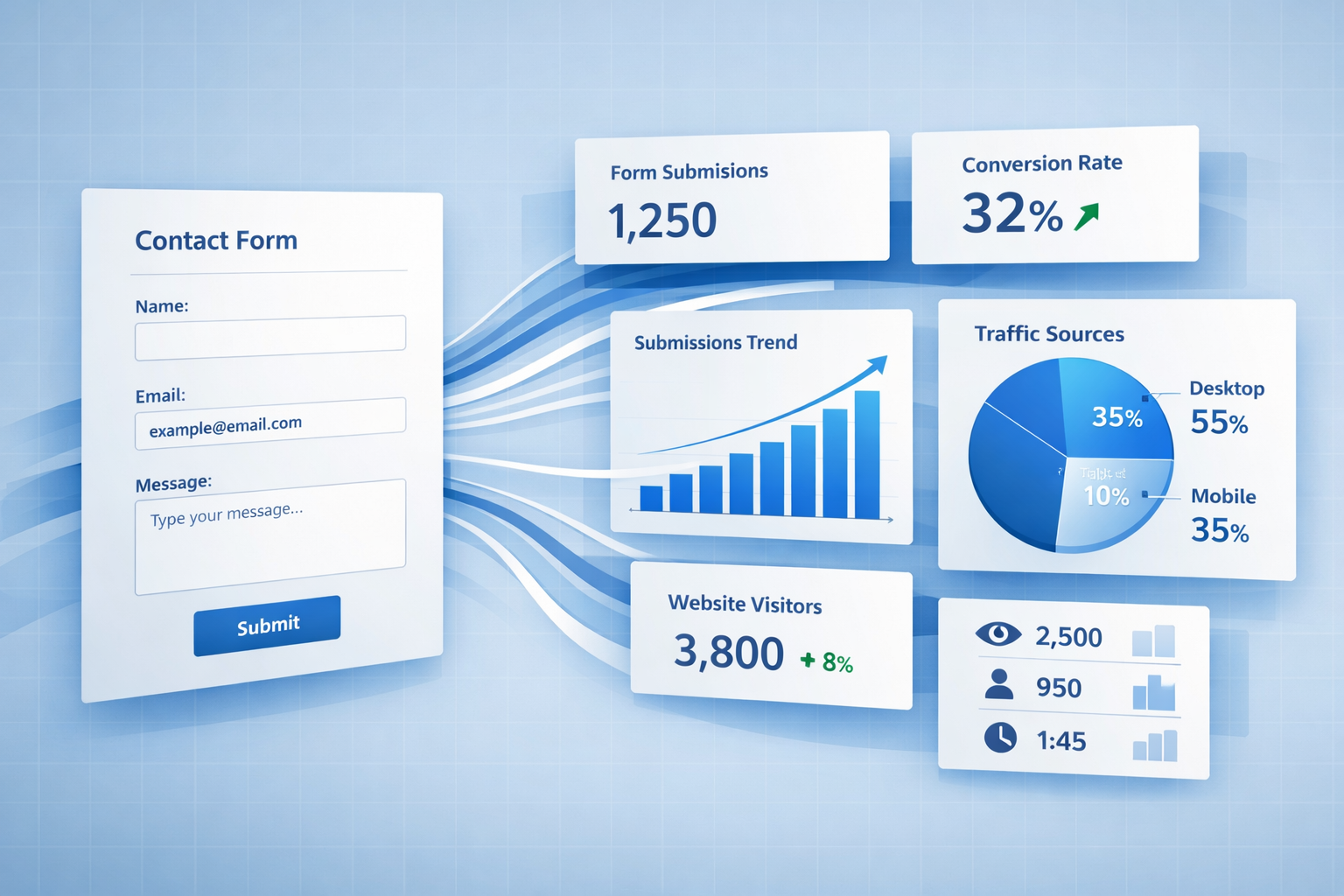
Your contact form sits on your website like a front door. But here's the problem: you have no idea how many people are knocking, how many are walking through, or how many are turning around halfway.
Most business owners install a contact form and hope for the best. They wait for email notifications to arrive and assume everything's working fine. But without proper tracking, you're flying blind. You don't know if your form is converting 2% or 20% of visitors. You can't tell if people are abandoning it halfway through. And you definitely can't pinpoint which field is causing the problem.
Tracking how many people fill out my contact form isn't just about counting submissions. It's about understanding the entire journey from first click to final submit.
Key Takeaways
- Basic tracking counts submissions, but advanced analytics reveal exactly where users abandon your form and why
- Dedicated form analytics platforms like Mouseflow, Hotjar, and Jotform provide field-level insights that Google Analytics can't match
- Hesitation time and abandonment rates are critical metrics that show which form fields confuse or frustrate your visitors
- Session recordings paired with form data give you the full context of user behavior before, during, and after form interactions
- Most platforms offer free trials or plans, making it easy to start tracking without upfront investment
Why Tracking Contact Form Submissions Actually Matters
You built a website to generate leads. Your contact form is the conversion point where interest becomes action.
Without tracking, you're making decisions in the dark.
Maybe your form gets plenty of views but few submissions. Maybe people start filling it out but quit halfway. Maybe one specific field is causing 80% of your abandonment. You won't know any of this without data.
The difference between a 5% conversion rate and a 15% conversion rate could mean triple the leads. Same traffic, same business, three times the opportunity. That's why tracking matters.
It's not about obsessing over numbers. It's about knowing what's actually happening so you can fix what's broken.
The Basic Setup: Counting Form Submissions
Start with the fundamentals. You need to know how many people successfully submit your form.
Most form builders include basic submission tracking. If you're using WordPress plugins, Wix, Squarespace, or similar platforms, check your form settings. There's usually a submissions dashboard showing total counts and individual entries.
For custom forms, you'll need to set up tracking manually. This typically means adding code that fires when someone clicks submit. Google Tag Manager makes this easier, but it requires some technical setup.
The basic formula is simple:
Conversion Rate = (Form Submissions ÷ Form Views) × 100
If 100 people view your contact form and 10 submit it, you have a 10% conversion rate.
But here's the limitation: basic tracking only tells you the final number. It doesn't explain why the other 90 people didn't convert. For that, you need deeper analytics.
Advanced Tracking: Understanding Who Fills Out My Contact Form
Basic counts are a starting point. Advanced tracking shows you the complete picture.
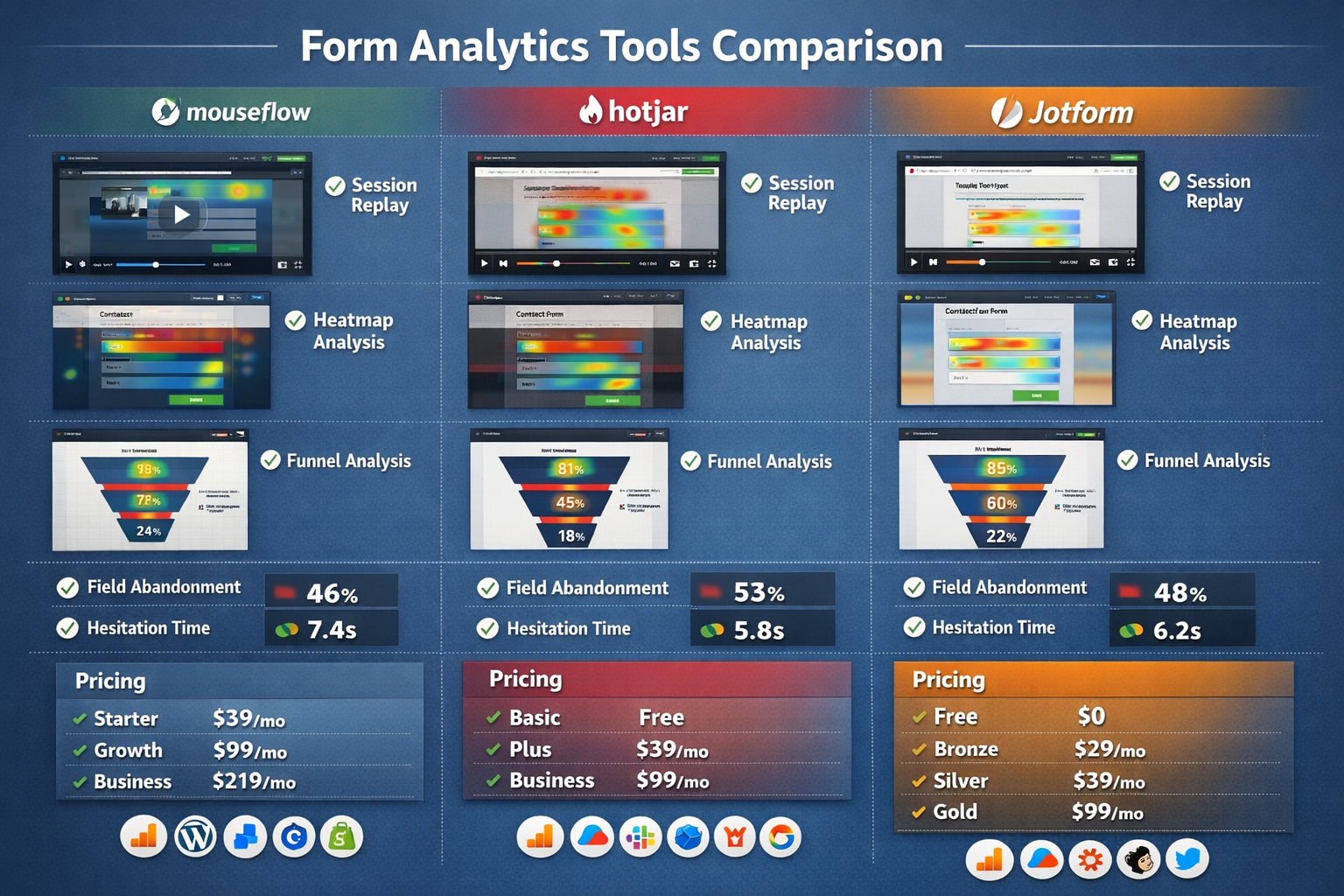
Field-level analytics break down every single form field into measurable steps. Tools like Mouseflow and Jotform track specific metrics for each field, including hesitation time, abandonment rates, and completion frequency[1][2]. This lets you identify exactly where users get stuck.
For example, you might discover that 40% of users abandon your form at the phone number field. That's actionable data. You can make that field optional or remove it entirely.
Hesitation time measures how long users spend on individual fields[2]. If people spend 30 seconds hovering over a question, they're confused. That field needs clearer labeling or better instructions.
Session recordings take this further. Platforms like Mouseflow and Hotjar let you watch actual user sessions[2][3]. You see exactly what happened before someone abandoned your form. Maybe they got distracted by another element. Maybe an error message wasn't clear. The recording shows you.
This combination of quantitative data (numbers) and qualitative data (behavior) gives you the full story.
The Best Tools to Track Contact Form Performance
Different tools serve different needs. Here's what actually works in 2026.
Dedicated Form Analytics Platforms
Mouseflow offers conversion rate tracking per field, breaking down every form field into a step in the user's journey[1]. The platform helps identify critical errors and friction points for optimization. It includes a 14-day free trial with no credit card required, giving you access to all premium features including form analytics and session replay capabilities[2].
Hotjar combines behavioral and qualitative data through heatmaps, session recordings, and conversion funnels while collecting real-time feedback through polls and surveys[3]. It's particularly useful when you want to understand the "why" behind the numbers.
Jotform provides a built-in Form Analytics dashboard that tracks views, responses, and conversion rates[1]. The platform monitors submission rates, user locations, and device preferences. The free plan is limited to 5 forms, with paid plans starting at $34/month billed annually[1].
Lucky Orange integrates form analytics with heatmaps and auto-detects forms on your site[1]. It provides session recordings alongside form performance data. The free plan tracks up to 100 sessions per month, with paid plans starting at $32/month billed annually[1].
FormStory uniquely captures abandoned form submissions, storing user inputs even when forms are abandoned or technical issues occur[1]. This is valuable because you can follow up with people who almost converted. The platform includes AI-powered analytics and form error detection, with pricing starting at $7.50/month and dedicated form analytics from $24/month[1].
Inspectlet focuses specifically on abandonment tracking, measuring hesitation time and abandonment rates with quick setup via JavaScript integration[1]. It shows precisely where users abandon your forms.
Using Google Analytics for Form Tracking
Google Forms and custom forms require third-party integration for advanced tracking[1]. Native Google Forms lack built-in advanced analytics, but you can connect them to Google Analytics or Google Tag Manager to track submission events, response rates, completion times, and drop-off points[1].
Setting this up requires creating events in Google Analytics 4 that fire when someone submits your form. It's more technical than dedicated form tools, but it's free and integrates with your existing analytics.
For straightforward submission counting, Google Analytics works fine. For understanding user behavior and optimizing form fields, dedicated tools provide much better insights.
What Metrics Actually Matter When People Fill Out My Contact Form
Not all metrics are equally useful. Focus on these.
Form Views: How many people actually see your contact form. This is your starting point.
Form Submissions: How many people complete and submit the form. This is your end goal.
Conversion Rate: Submissions divided by views. This tells you overall performance.
Field Abandonment Rate: Which specific fields cause people to quit. This shows you exactly what to fix[1][2].
Hesitation Time: How long users spend on each field before moving forward[2]. Long hesitation means confusion.
Device Breakdown: Whether mobile users convert differently than desktop users. Mobile forms often need different optimization.
Error Rate: How often users trigger validation errors. High error rates mean unclear instructions or overly strict validation.
Time to Complete: How long the average submission takes. Longer times might indicate complexity issues.
Track these metrics together. A high view count with low submissions points to form design problems. High abandonment at specific fields tells you exactly where to focus improvements.
Setting Up Tracking in Three Practical Steps
Here's how to actually implement this.
Step 1: Choose Your Tracking Method
Decide between basic tracking (just counting submissions) or advanced tracking (understanding user behavior). If you're getting enough submissions and just want counts, basic tracking works. If conversions are low or you want to optimize, invest in advanced tools.
For most business owners, starting with a tool like Hotjar or Mouseflow makes sense. Both offer free trials, so you can test before committing[2][3].
Step 2: Install the Tracking Code
Most platforms provide a simple JavaScript snippet. Copy it and paste it into your website's header section. If you're using WordPress, there are plugins that handle this for you.
For Google Analytics tracking, you'll need to set up events in Google Tag Manager or directly in GA4. This requires more technical knowledge, but there are plenty of tutorials available.
If you're not comfortable with code, consider using a platform like Jotform that includes built-in analytics without requiring any technical setup.
Step 3: Monitor and Optimize
Once tracking is active, give it at least a week to collect meaningful data. Then review your metrics.
Look for patterns. Which fields have high abandonment? Which days get more submissions? Which traffic sources convert best?
Make one change at a time. If you change five things simultaneously, you won't know which one made the difference. Test removing a field, simplifying instructions, or adjusting your form layout. Then measure the impact.
Most form analytics tools integrate with major platforms, making it easy to connect your data with other marketing tools you're already using[1][2]. This gives you a complete view of your customer journey from first visit to form submission.
Common Tracking Mistakes to Avoid
Tracking only submissions, not views. You need both numbers to calculate conversion rate. Knowing you got 10 submissions means nothing if you don't know whether 50 or 5,000 people saw the form.
Ignoring mobile performance. Mobile users often have different behavior patterns than desktop users. Track them separately.
Not testing your tracking. After setup, submit a test form yourself. Verify that it appears in your analytics. Broken tracking is worse than no tracking because you think you have data when you don't.
Overwhelming yourself with data. Start with the basics: views, submissions, conversion rate. Add more metrics as you get comfortable.
Forgetting about abandoned submissions. Tools like FormStory capture partial submissions[1]. Someone who filled out 4 of 5 fields is more valuable than someone who never started. You can follow up with them.
Not connecting tracking to action. Data without decisions is just numbers. Use what you learn to actually improve your form.
Making Sense of Your Form Data
Numbers alone don't tell you what to do. Here's how to interpret them.
If conversion rate is below 5%: Your form likely has serious problems. Too many fields, confusing questions, or poor placement on the page.
If specific fields show high abandonment: Those fields need attention. Consider making them optional, rewording them, or removing them entirely.
If hesitation time is high on certain fields: Users don't understand what you're asking. Clarify the label or add helper text.
If mobile conversion is significantly lower than desktop: Your form isn't mobile-optimized. Test it on actual phones and fix layout issues.
If you're getting views but very few submissions: People are finding your form but choosing not to use it. This often means trust issues, too many required fields, or unclear value proposition.
The goal isn't perfect data. The goal is actionable insights that lead to more conversions.
Conclusion: Start Tracking Today
Tracking how many people fill out my contact form transforms guesswork into strategy.
You don't need expensive enterprise tools or a data science degree. You need to know three things: how many people see your form, how many submit it, and where the others drop off.
Start simple. Pick one tool from this guide and set it up this week. Even basic tracking beats flying blind.
Then use what you learn. If 60% of people abandon at the phone number field, make it optional. If mobile users never convert, fix your mobile form layout. If nobody's submitting, maybe your form is buried too deep on your site.
The businesses that grow aren't the ones with perfect forms from day one. They're the ones that measure, learn, and improve.
Your next step is straightforward: choose a tracking method, install it, and start collecting data. Give it two weeks, then review what you've learned. Make one improvement based on that data.
That's how you turn a static contact form into a lead generation system that actually works.
Ready to start tracking your form performance? Sign up and get your analytics dashboard set up in minutes. Or if you need help getting started, reach out and we'll point you in the right direction.
References
[1] Form Tracking Software - https://vwo.com/blog/form-tracking-software/
[2] Form Analysis Optimization Tool - https://mouseflow.com/platform/form-analysis-optimization-tool/
[3] Cro Analytics Tools - https://www.omniconvert.com/blog/cro-analytics-tools/
SEO Meta Title and Description
Meta Title: Track Contact Form Submissions: Complete Guide 2026
Meta Description: Learn how to track how many people fill out my contact form with analytics tools, metrics that matter, and actionable optimization strategies.
Other frequently asked questions
- How Do I Check Which Pages People Spend the Most Time On
- How Do I Track Sales From My Google Ads Campaigns
- Will AI Take Over Data Analytics
- How Do I Track Phone Calls or Email Clicks as Conversions
- How Do I Track How Many People Fill Out My Contact Form
- How Do I Track How Many People Watch a Video or Download a Brochure
- How Do I Know Which Pages Lead to the Most Conversions
- How Do I See Where Most People Drop Off During Checkout
- How Do I See Where My Website Visitors Are Coming From
- How Do I See Which Blog Posts Bring Me the Most Visitors
- How Do I Check if My Homepage Is Actually Performing Well
- How Do I Find Out How Long It Takes Someone to Become a Customer
- How Do I Find Out What Paths People Take Before They Buy or Sign Up
- How Do I Measure Which Traffic Source Brings the Most Paying Customers
- How Do I See if Discounts or Offers Increase Sales
- How to See What Visitors Do First When They Land on Your Site